
Craigslist is an free online listing of local classified advertisements including job postings, items for sale, garage sales and other topics you would typically find in your local newspaper.
Each geographic area has a separate Craigslist site. Long Island is defined as our geographic area, but you can browse other areas. A person who is willing to travel for a job might be interested in viewing the Jobs section of the New York City Craigslist or a recent graduate going to college in South Carolina might want to view the apartments available there.
Find Out More:
Craigslist Fact Sheet
Craigslist Personal Safety Tips
Try It Out!
You have two options for this exercise:
(1) Find a posting that sounds interesting to you and describe it on your blog along with a link to the original posting on Craigslist.
OR
(2) Write up a posting for something you would like to sell or advertise on Craigslist. Post it on Craigslist if you are comfortable and include a link to the listing on your blog or just post it to your blog.
Be sure to visit the staff page to submit this exercise as described in exercise #1. Don't forget to add a link to your blog posting.
_____________________________________________________
Recording Progress:
Recording progress on the staff page is as easy as cut-n-paste.
First you'll need to sign up. This will be covered in the directions for activity #1.
For the first two activities, just check off the appropriate check box as discussed in "Sign up for MMSCL 2.0". Once you start recording your discoveries through your own blog (activity #3), you will need to check-off the item and enter the permanent link to the individual blog post that covers the exercise or "thing."
Depending upon the Blogger template that you selected, the "permanent link" for each individual post can be found either through the post’s title or through a link in the posts footer area the contains the date.
To record progress for an individual item on the Staff Page:
- Log in to your blogger.com account that you created in activity #3.
- Click on the permanent link for the individual post.
Example:
Here is where you would find the perma link for this sample blog post: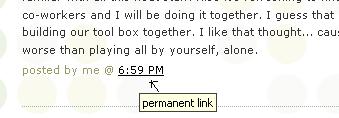
Click on this link to see actual post. - Select the "permanent link" url from the address bar at the top of your browser and right click. Select Copy.
- Follow the instructions from item #1: Sign up for MMSCL 2.0.
- Right click on the address line for the item and select Paste.
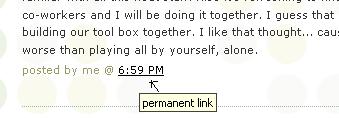
See, it's as easy and copy-n-paste!
Your staff information page should now show a light grey "OK" image. After your activity has been reviewed and approved, the "OK" image will turn purple.


No comments:
Post a Comment